A scrolling window manager for macOS
Your windows, on one long rail.
Panorail lines up every window side by side on a strip wider than your screen. A new window opens right next to the one you are using, nothing is squeezed to make room, and the view glides to whatever you focus.
macOS 13 Ventura or later, Apple Silicon and Intel. Currently in preview. One-time payment, direct download.
How it works
A strip, not a grid.
Grid tilers divide your screen. Every new window takes a share from the others until nothing is readable. Panorail grows the strip instead, so each window keeps the width you gave it.
Opens beside you
A new window lands directly to the right of the focused one, wherever you are on the strip.
Follows your focus
Move focus with the keyboard, a click or Command-Tab. The strip scrolls just far enough, with a spring that settles quickly.
Stays out of the way
Dialogs, fixed-size and full screen windows float. Per-app rules decide the rest.
Recorded on a real Mac
A new window joins.
It opens beside the focused one and the rest keep their width.
Recorded on a real Mac
Width, then move.
Control-Option-R steps through the presets. Adding Shift carries the window along the strip.
⌃⌥RCycle width
Unedited screen recordings of the real Panorail app on a GitHub-hosted Mac at 1920x1080, trimmed and without sound. A script sent the keystrokes.
Try it
Drive the rail in your browser.
Click the screen and use the keys. The demo runs the same layout engine as the Mac app.
- ←→ Focus
- ⇧←→ Move
- R Width
- [] Stack
- T Tabs
- N New
- W Close
In the app the keys sit behind ⌃⌥.
In the preview
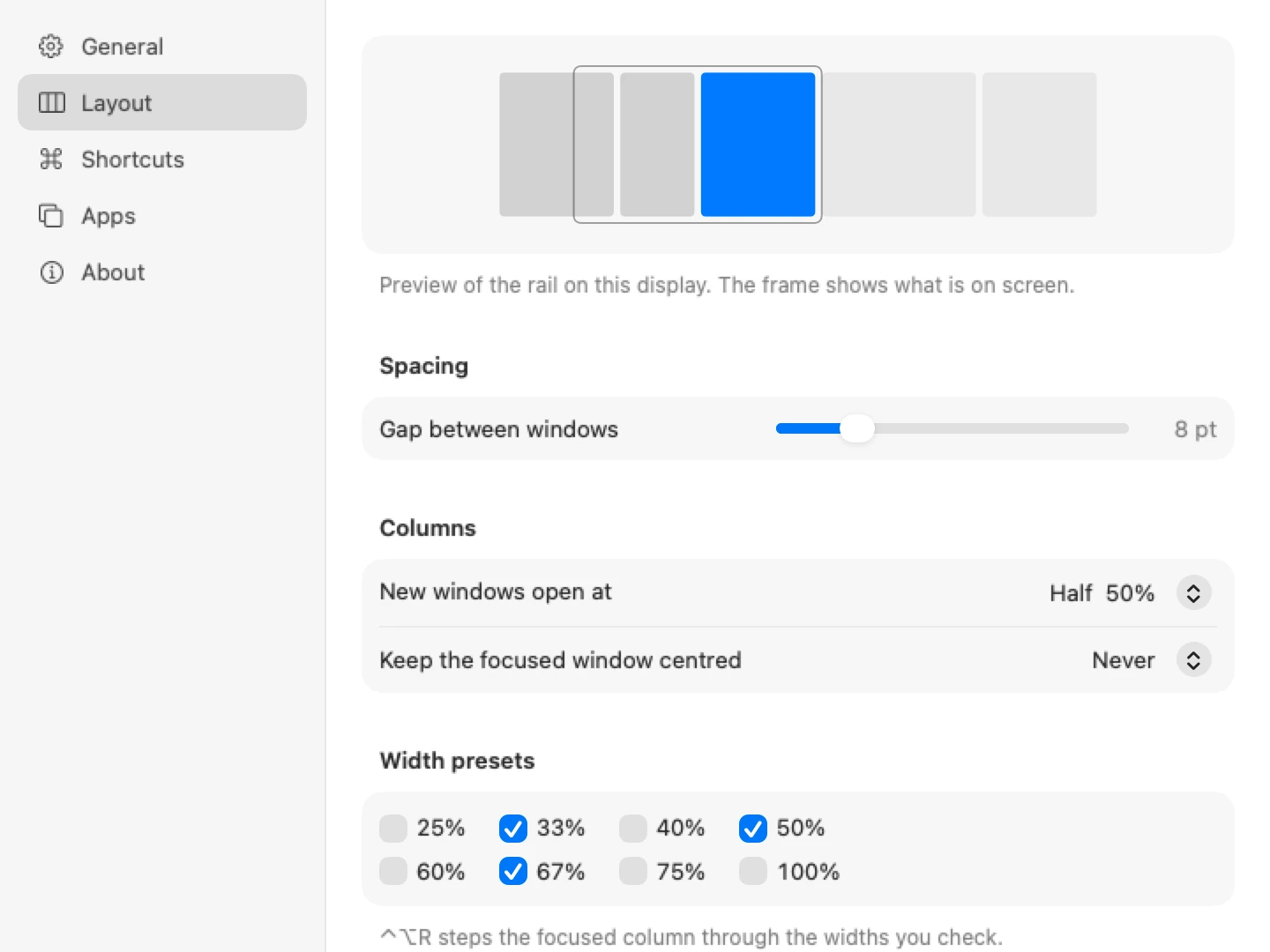
Everything is a setting, nothing is a config file.
- Stacks and tabs
- Put related windows in one column, split top to bottom or shown as tabs.
- Column widths
- Step through presets such as a third, half and two thirds, nudge by five percent or go full width.
- Gaps and centring
- Choose the spacing, and whether the focused window stays centred always, never or only when the strip overflows.
- Several displays
- One strip per display. Send a window to the next display with a shortcut.
- App rules
- Tile, float or ignore any app.
- Session restore
- Column order, widths and stacks come back when Panorail restarts.
- Your shortcuts
- Rebind anything, with more than one shortcut per action. Uses standard system hotkeys, so typing is never intercepted.
- Private
- No account and no analytics. Panorail asks only for the Accessibility permission, which macOS requires to move windows. More on privacy.
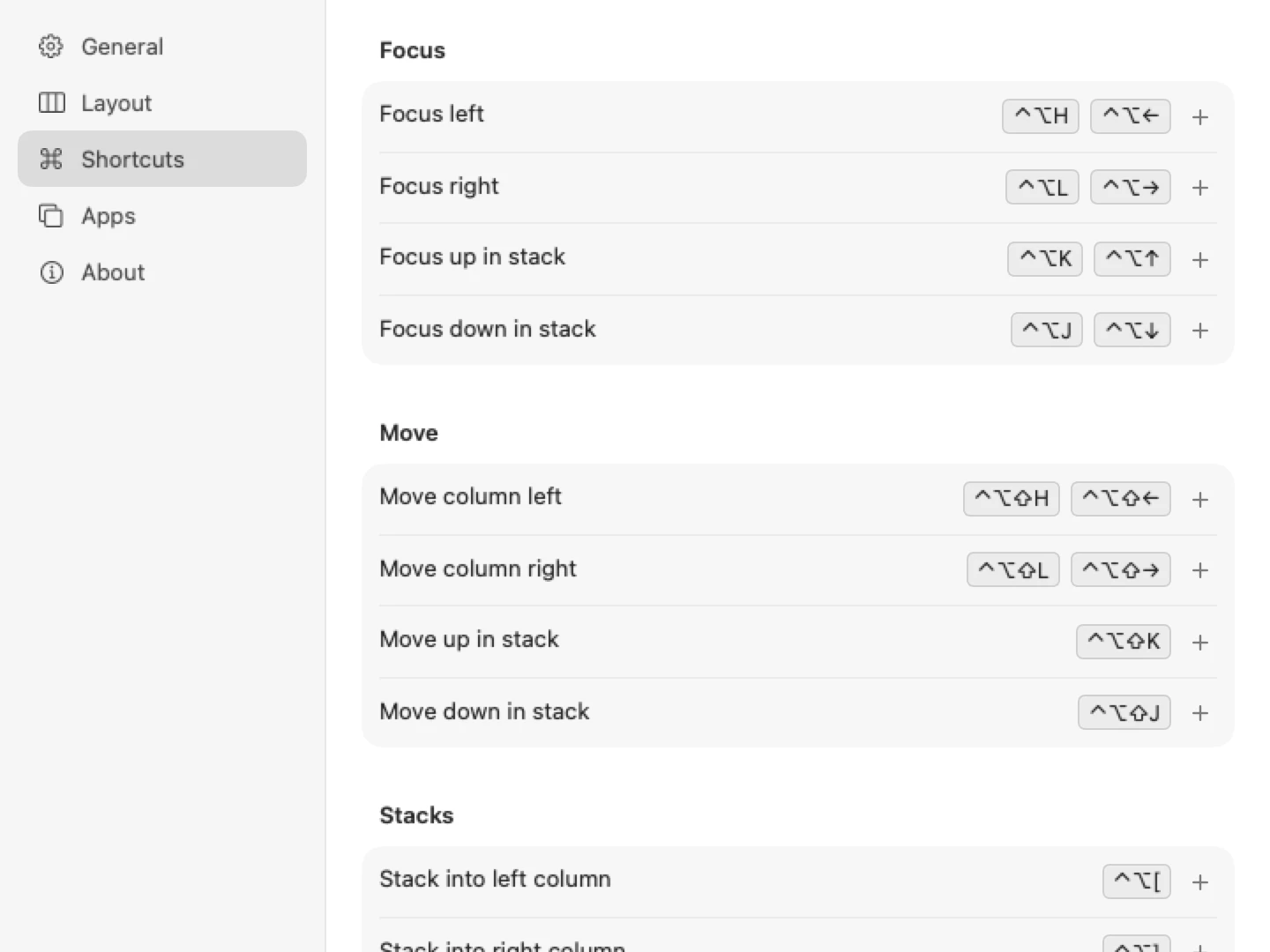
Shortcuts
Control and Option, then a direction.
The defaults follow arrow keys and vim keys. Every one can be changed in Settings.
The app
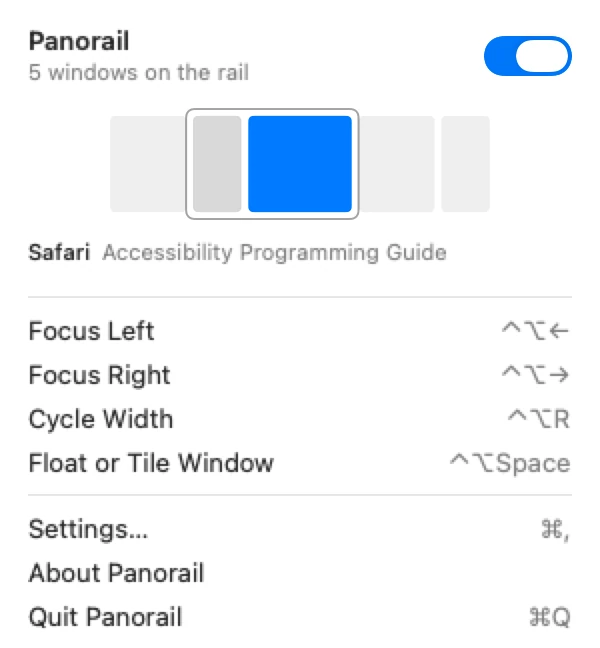
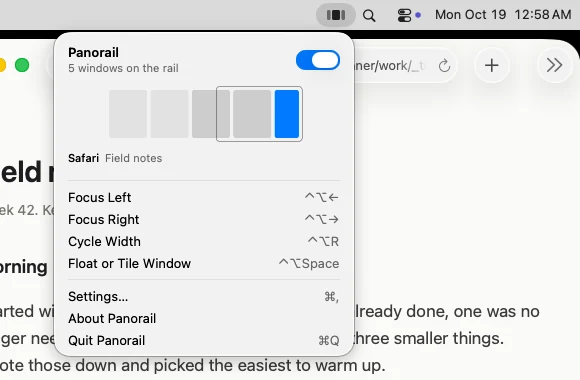
Lives in the menu bar.
A minimap shows where you are on the rail. Layout and shortcuts are set in plain settings panes.
Privacy
It never leaves your Mac.
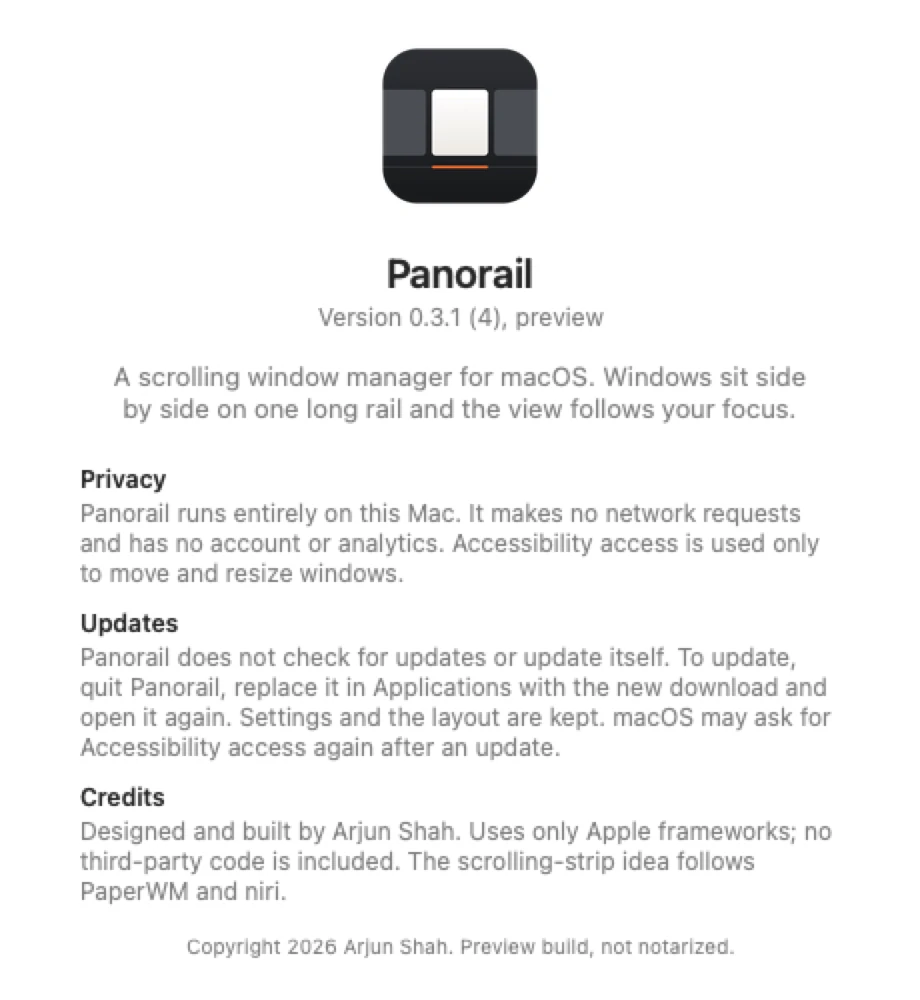
Panorail is fully local. It has no network code at all: no analytics, no crash reporting, no account and no update check.
- Sends
- Nothing.
- Uses
- Accessibility access, which macOS requires for moving and resizing other apps' windows. Panorail reads window positions, sizes, titles and app names to lay them out.
- Does not read
- What is inside your windows, or what you type. Shortcuts are registered as standard system hotkeys, so keystrokes are never intercepted.
- Stores
- Your settings in its preferences, and the last layout in ~/Library/Application Support/Panorail/session.json, so columns come back after a restart.
- This website
- No analytics or tracking cookies. Payment is handled by Stripe.
Pricing
Buy once. Keep it.
A one-time purchase with no subscription.
 Panorail
- No subscription. Download straight after paying.
- macOS 13 Ventura or later, Apple Silicon and Intel.
- No account, no analytics, no network code.
- Full refund within 14 days, no questions asked.
Payment runs in Stripe test mode while Panorail is in preview. You get the download straight after paying.
Installing
- Unzip and drag Panorail into Applications.
- Panorail is not signed with an Apple Developer ID yet, so macOS warns the first time. On macOS 13 and 14, right-click the app, choose Open, then Open again. On macOS 15 and later, see the first question below.
- Grant Accessibility access when asked, so Panorail can move windows.
Questions
Questions
macOS says the app cannot be opened. How do I install it?
Panorail is not signed with an Apple Developer ID yet, so Gatekeeper warns the first time you open it. On macOS 13 Ventura and 14 Sonoma, right-click (or Control-click) Panorail in Applications, choose Open, then click Open in the dialog. On macOS 15 Sequoia and later, open it once, dismiss the warning, then go to System Settings, Privacy & Security, scroll down and click Open Anyway. After that it opens normally.
What are the system requirements?
macOS 13 Ventura or later, on Apple Silicon or Intel. The app is a universal build and needs no extra installs.
How do I get updates?
Panorail does not check for updates or update itself. Reopen the download page you reached after paying (it is worth bookmarking): it always serves the latest version. Quit Panorail, replace it in Applications and open it again. Settings and your layout are kept. macOS may ask for Accessibility access again; if the switch is already on, turn it off and on.
What is a scrolling window manager?
Instead of dividing the screen between windows, it places them on a strip wider than the display and moves the view as focus changes. PaperWM and niri brought the idea to Linux; Panorail brings it to the Mac.
Why does it need Accessibility access?
macOS only lets an app move and resize other apps' windows through the Accessibility permission. Panorail does not read window contents or record keystrokes. Its shortcuts use standard system hotkeys.
Do I need to turn off System Integrity Protection?
No. Panorail is an ordinary app and uses only the public Accessibility API plus one widely used call to identify windows.
Does it work with Spaces and full screen apps?
Full screen windows are left alone. In the preview there is one strip per display rather than one per Space.
How do I uninstall it?
Quit Panorail from the menu bar and move it from Applications to the Trash. Any window parked at the edge of the screen slides back into view when Panorail quits. You can also remove it from System Settings, Privacy & Security, Accessibility.
Does it send anything over the network?
No. Panorail contains no network code. See Privacy.
What is your refund policy?
Full refund within 14 days of purchase, no questions asked. Email arjunkshah21@gmail.com with your receipt. While checkout is in Stripe test mode, no real payments are taken.